Opera Escrow P2P Transaction Method
Buy crypto with fiat currency
The P2P platform that allows you to buy crypto with fiat currency and sell crypto for fiat currency becomes available once you open an Opera Wallet.
Buy Crypto
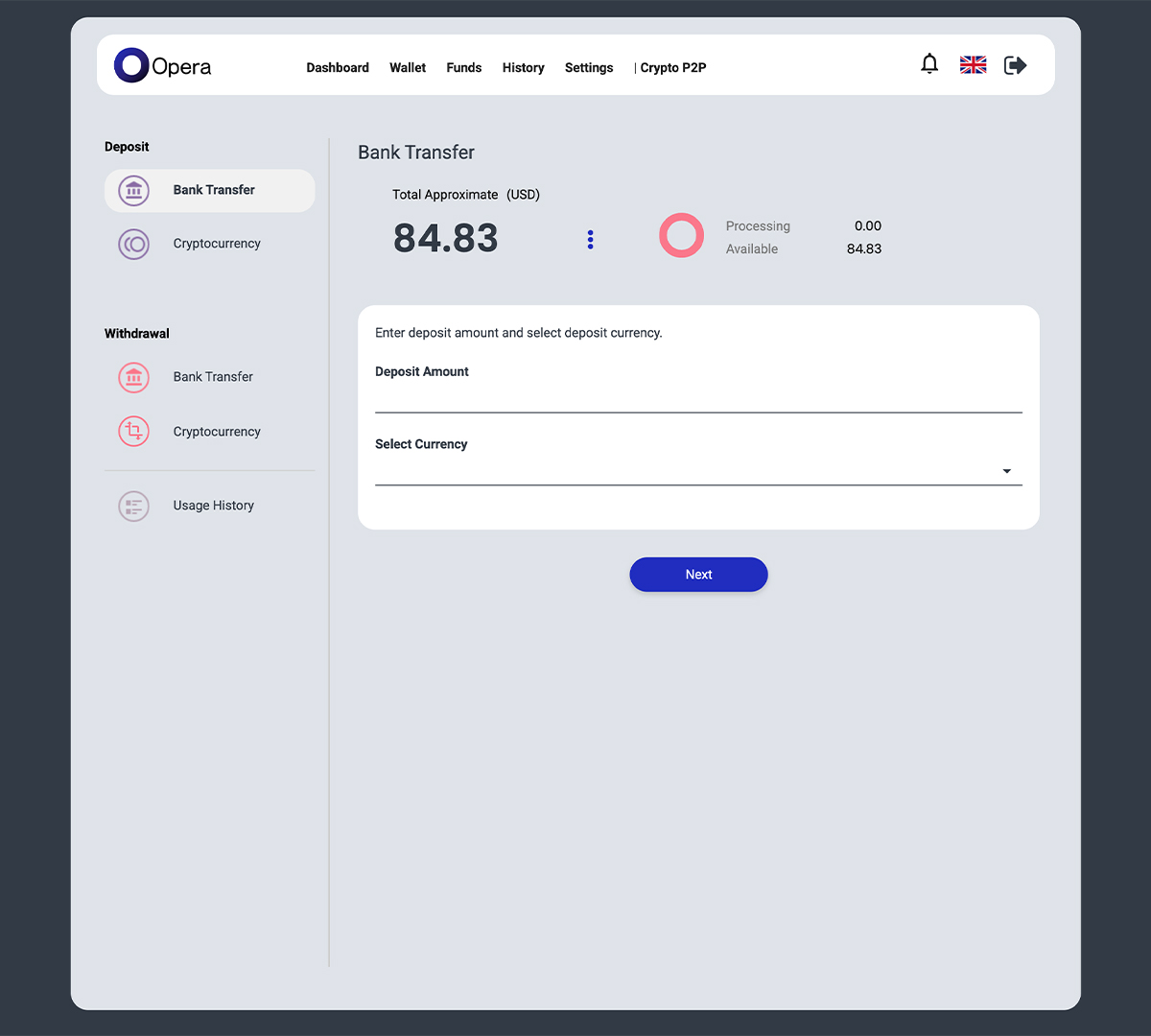
Deposit funds into escrow
Deposit funds into your Opera Wallet.
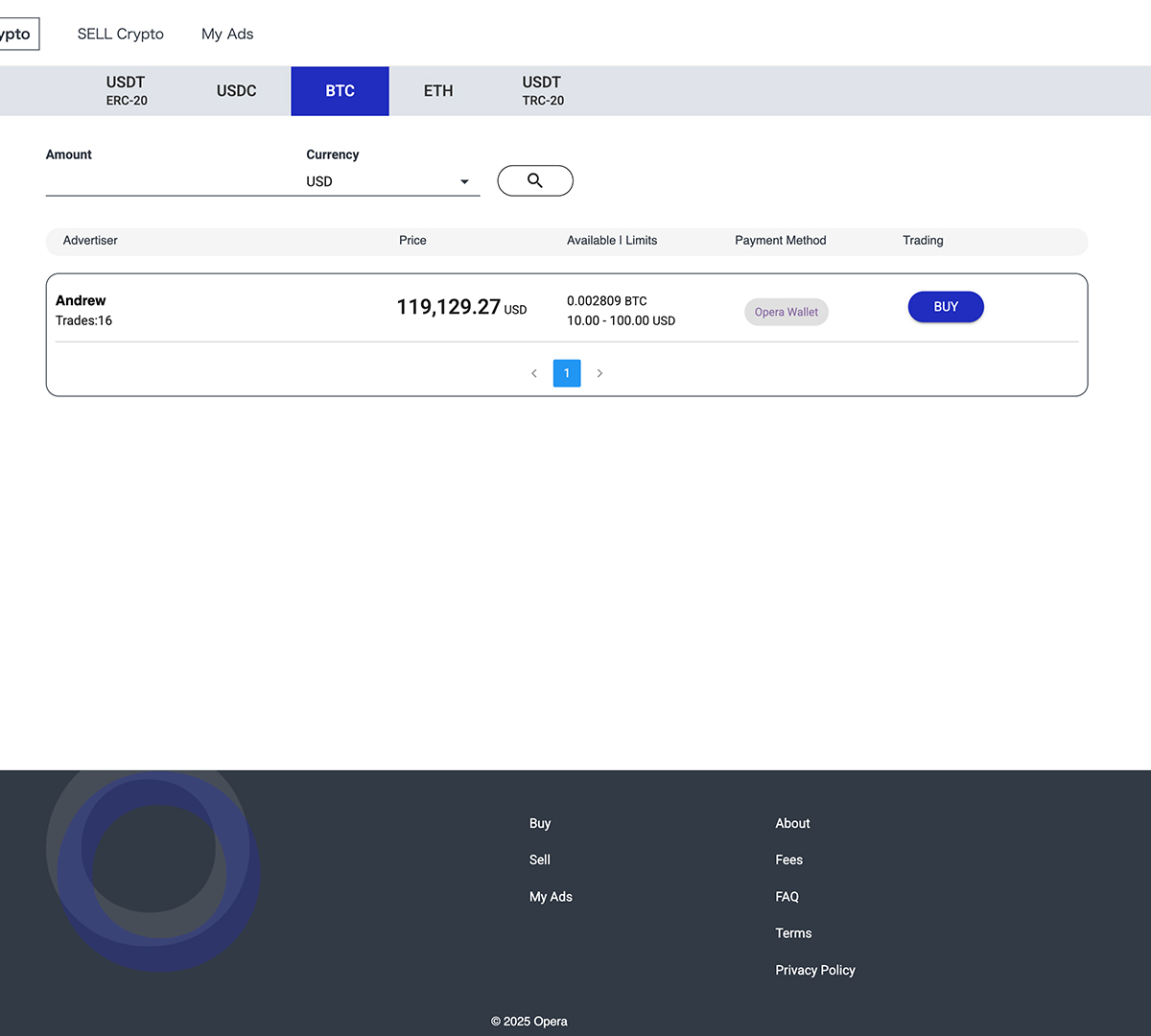
Choose a counterparty
Select a seller (advertiser) from the listings.
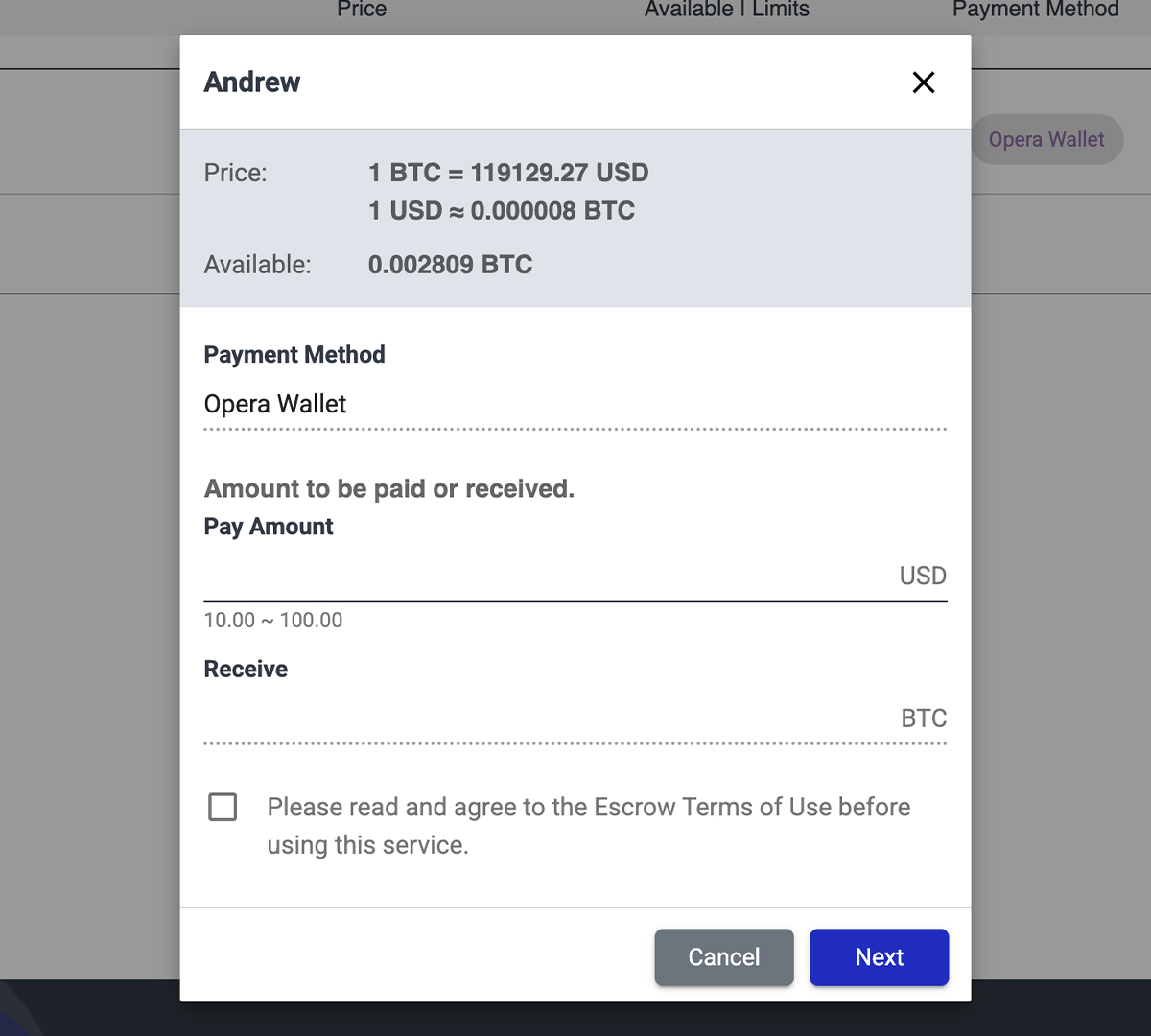
Make an offer to the advertiser
Enter either the amount to pay (Pay) or the amount you want to receive (Receive) to make an offer.
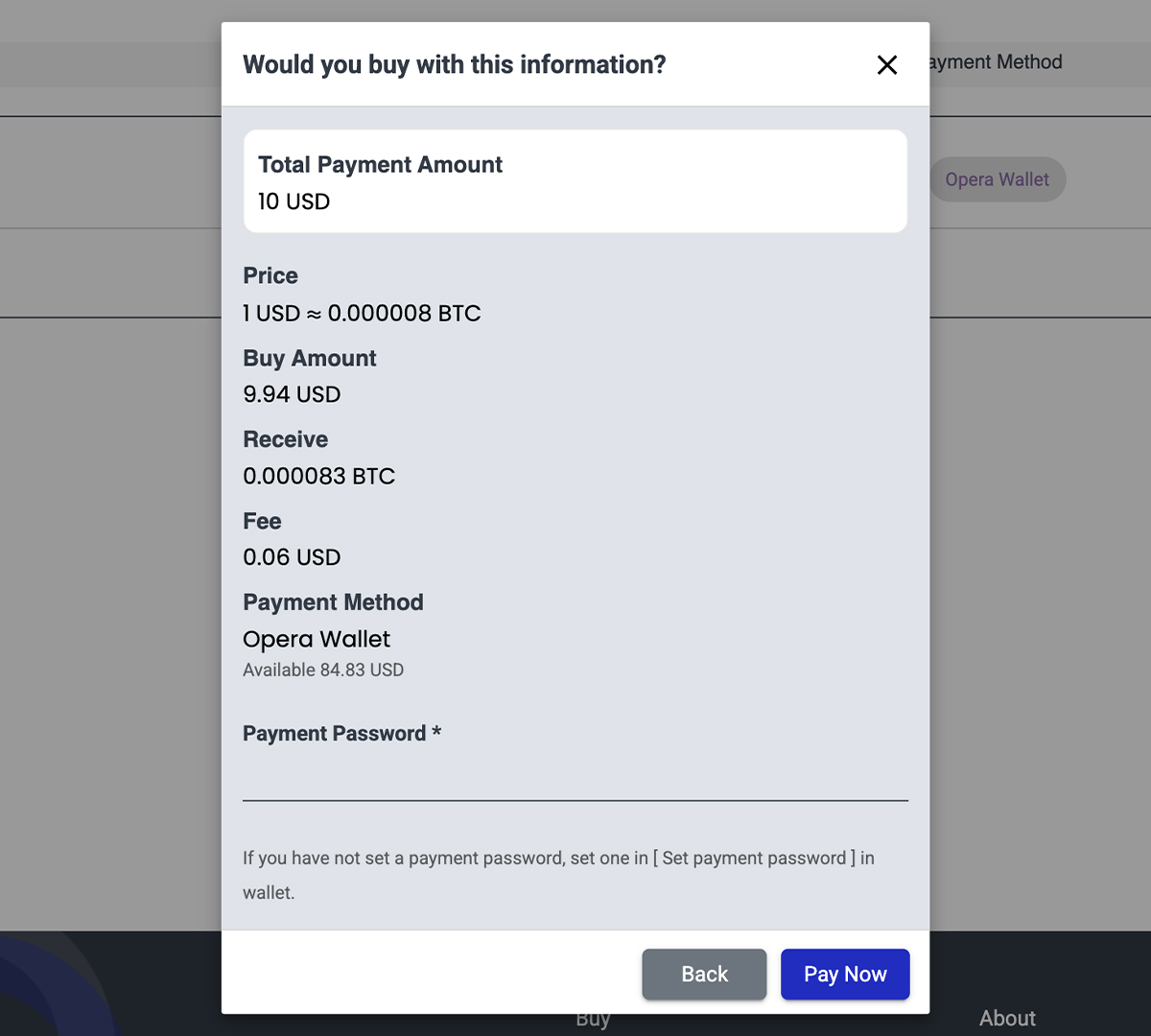
Complete the transaction with confidence
Enter your payment password to make the payment, and the transaction will be completed instantly.
The purchased cryptocurrency will be automatically reflected in your wallet.
Everything is completed within Opera Wallet, allowing smooth transactions without waiting for the counterparty’s release.
Sell Crypto
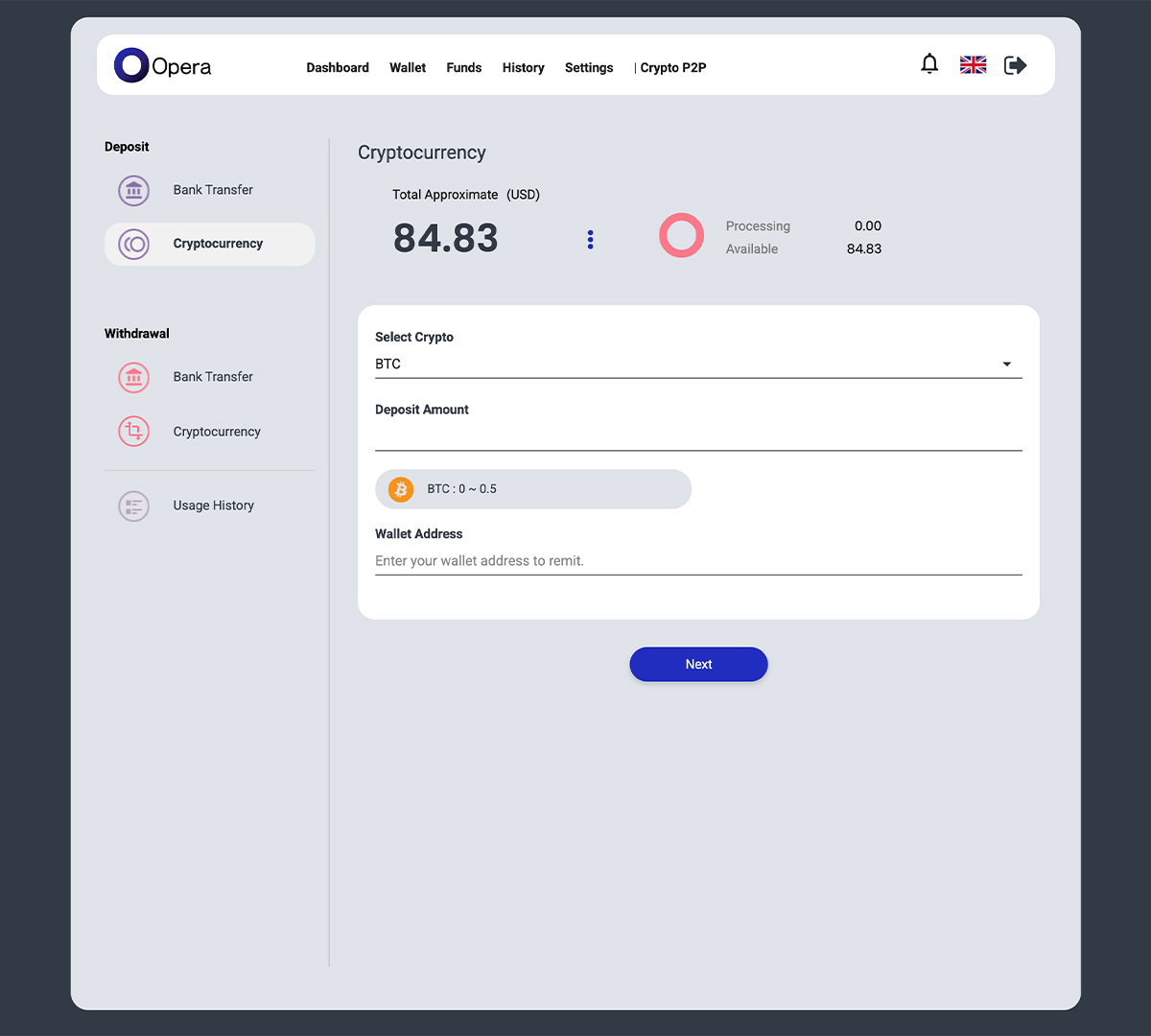
Deposit crypto into escrow
Deposit crypto into your Opera Wallet.
Opera temporarily holds the assets and releases them after the trade is completed.
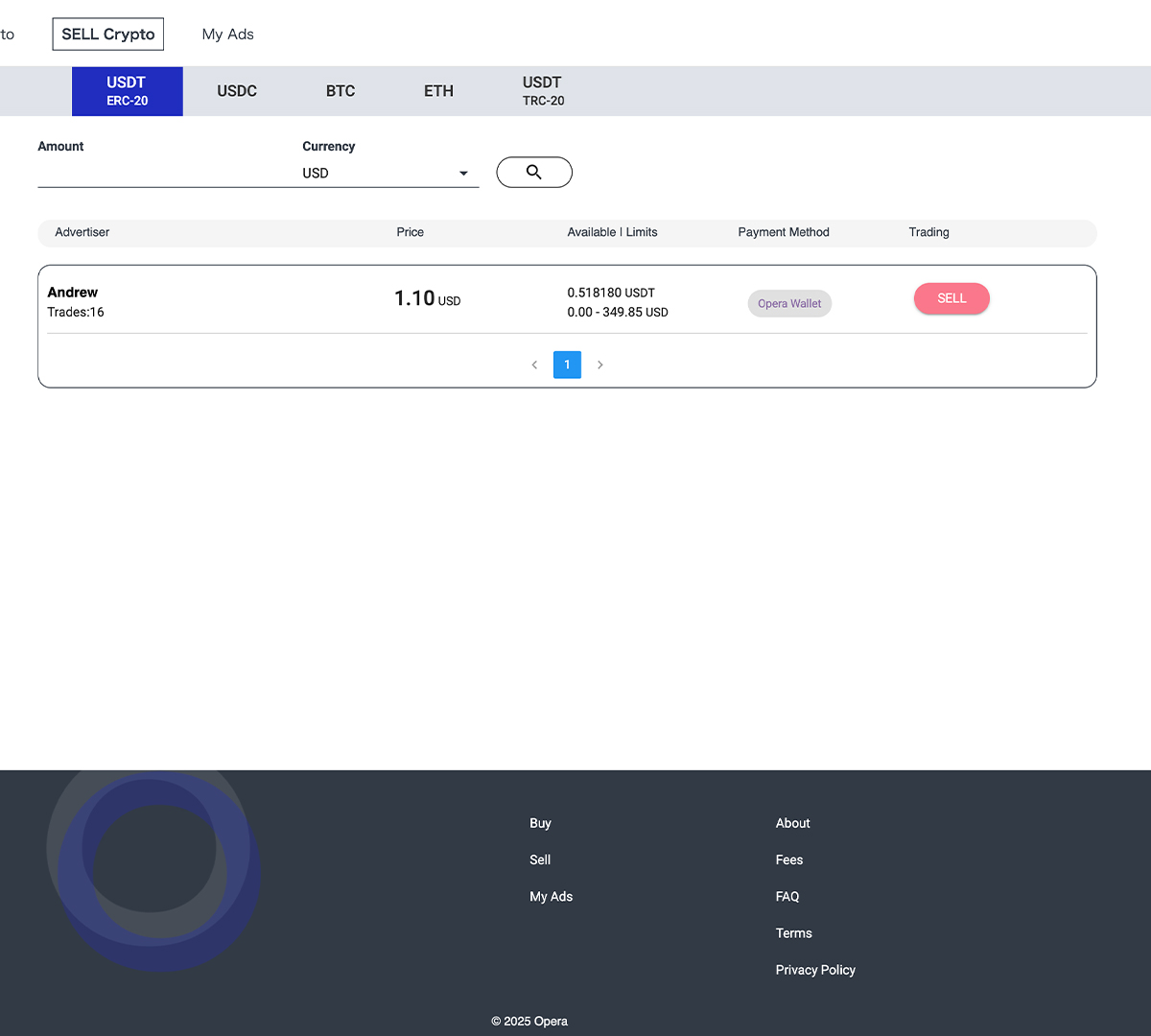
Choose a counterparty
Select a buyer (advertiser) from the listings.
Choose the crypto you want to sell and the fiat currency you want to receive.
Check the buyer list and compare prices, available quantities, etc.
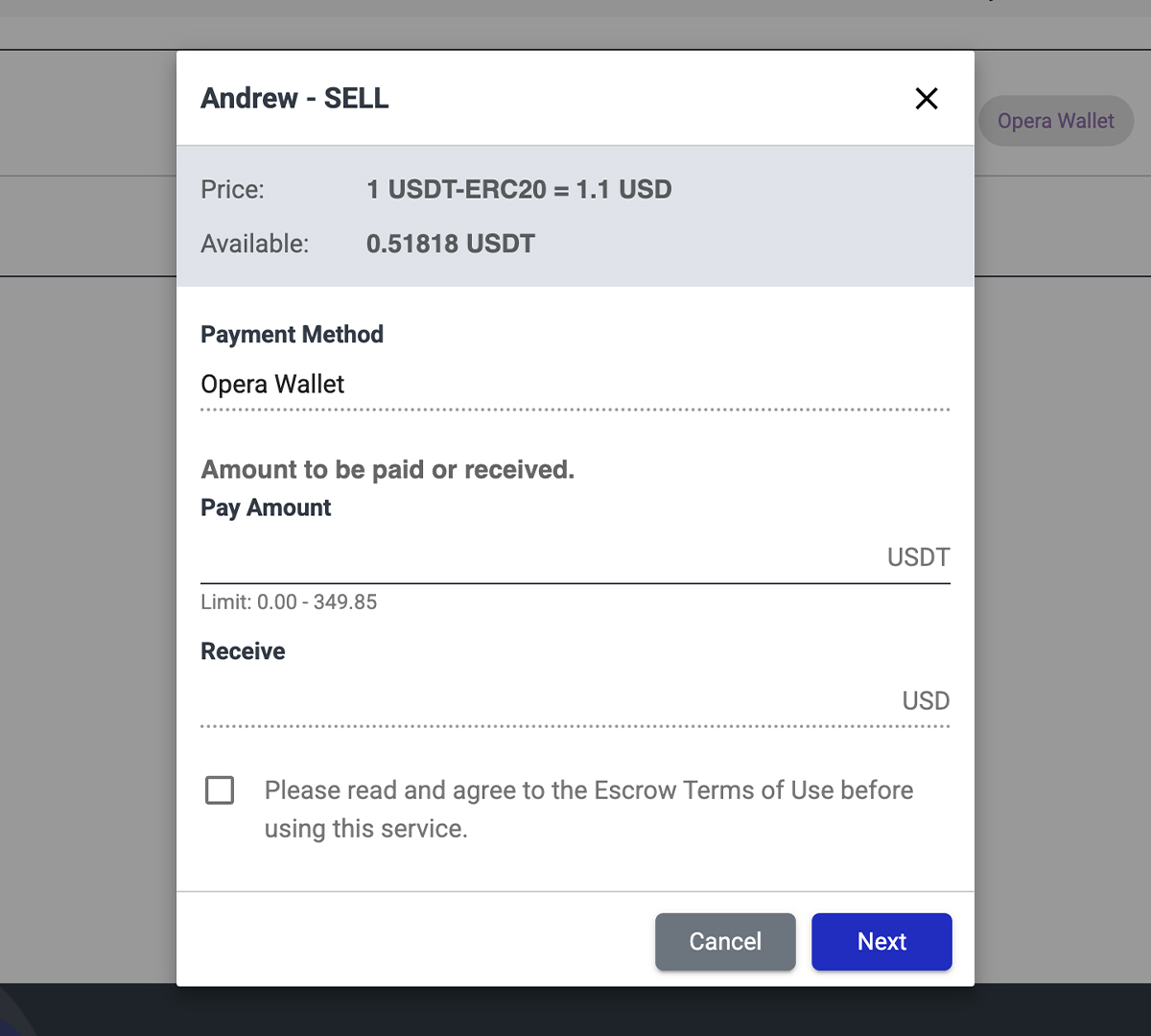
Make an offer to the advertiser
Enter the amount to pay (Pay), confirm the amount to receive, and make an offer.
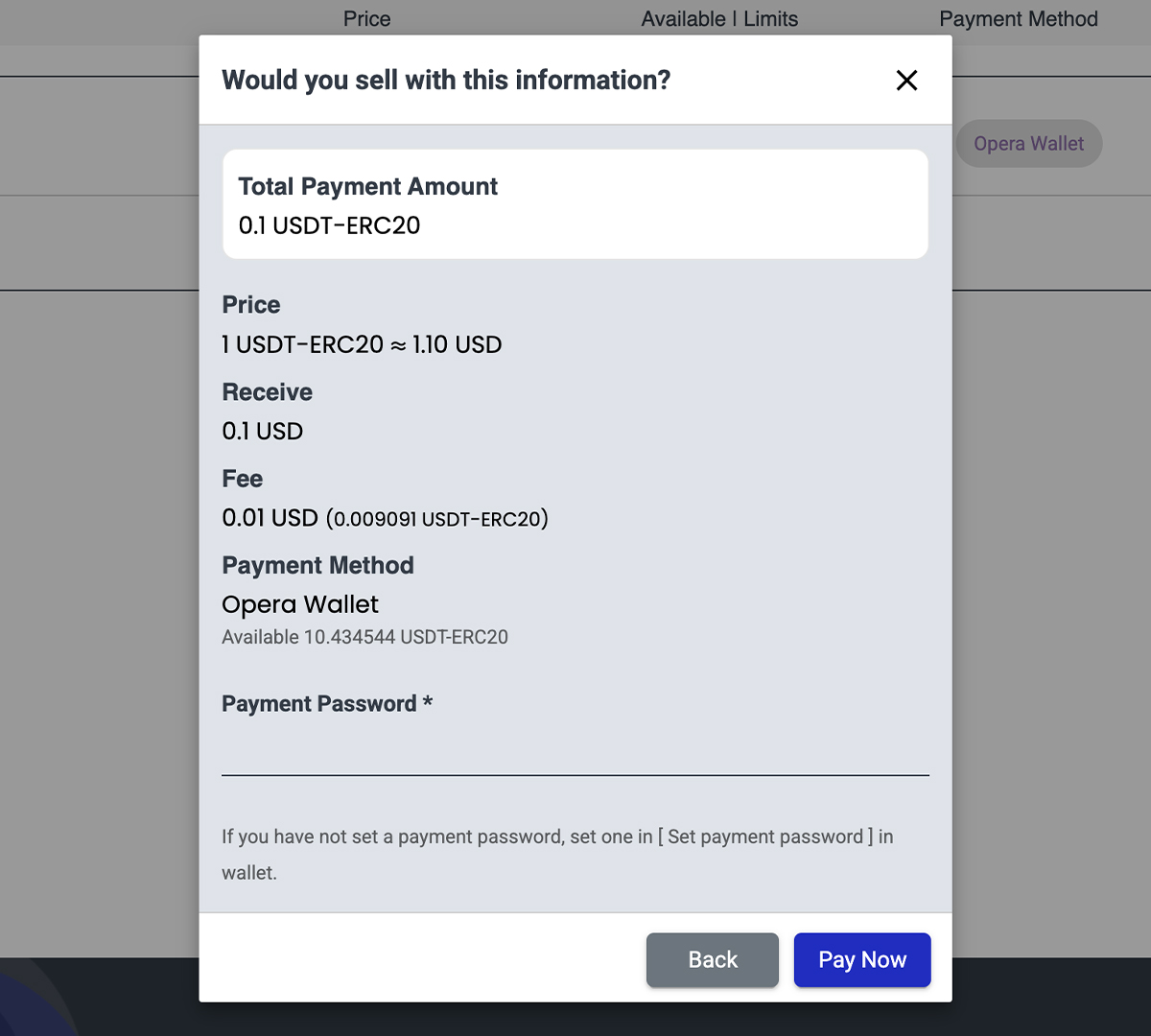
Complete the transaction with confidence
Enter your payment password to make the payment, and the transaction will be completed instantly.
The fiat currency received will be automatically reflected in your wallet.
Everything is completed within Opera Wallet, allowing smooth transactions without waiting for the counterparty’s payment.
Post Ad as an Advertiser
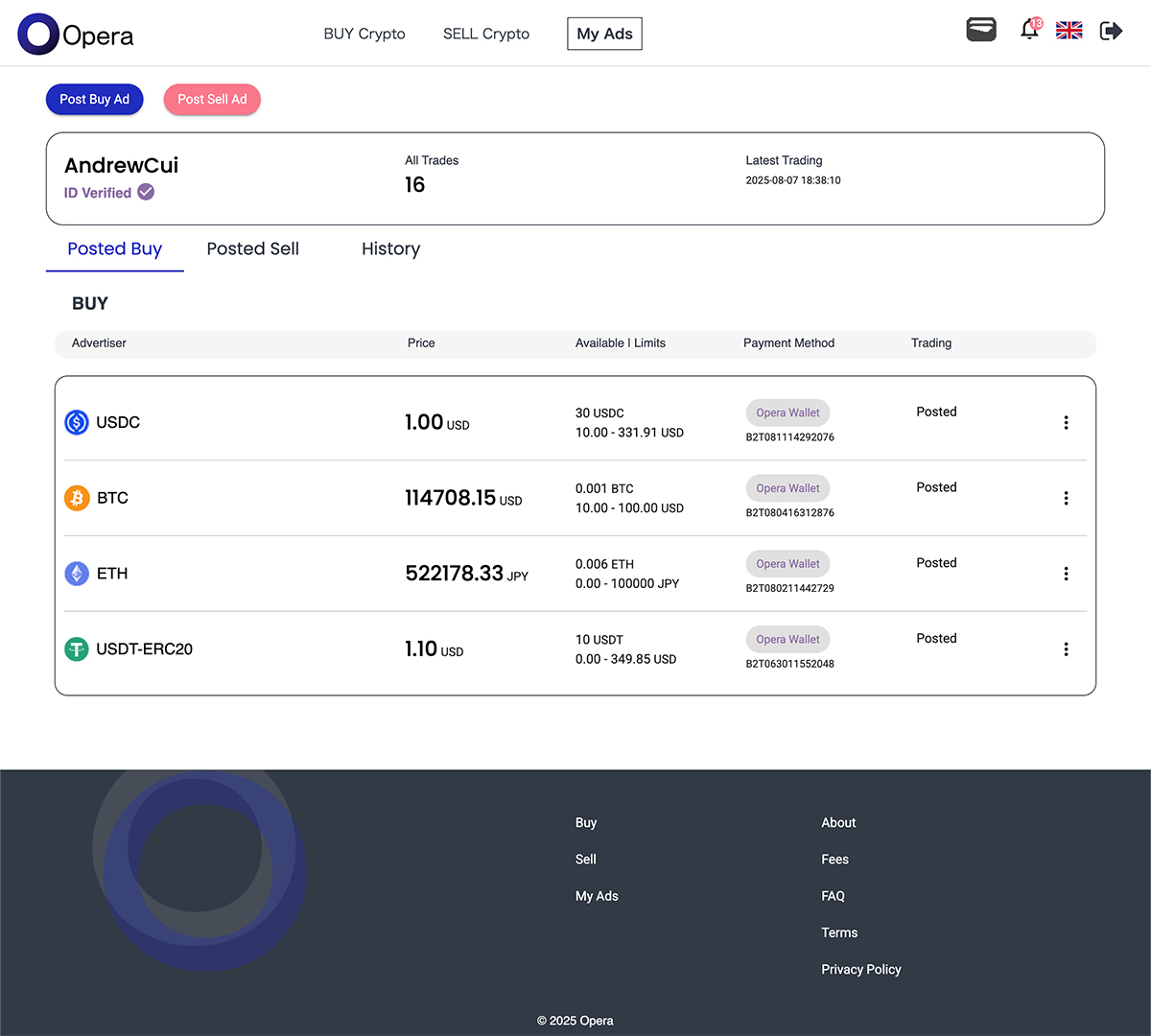
Set the conditions for buying or selling and post your ad.
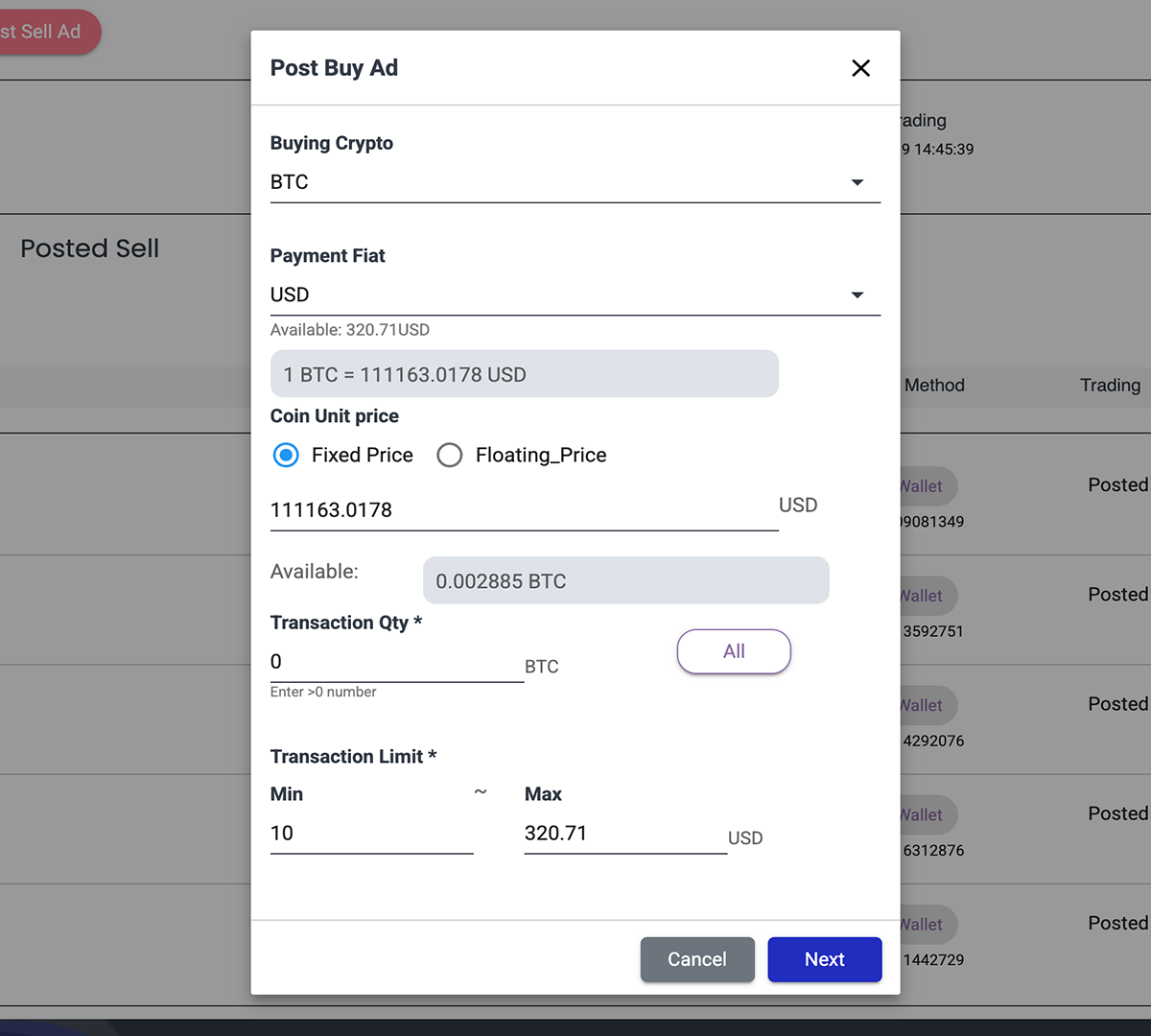
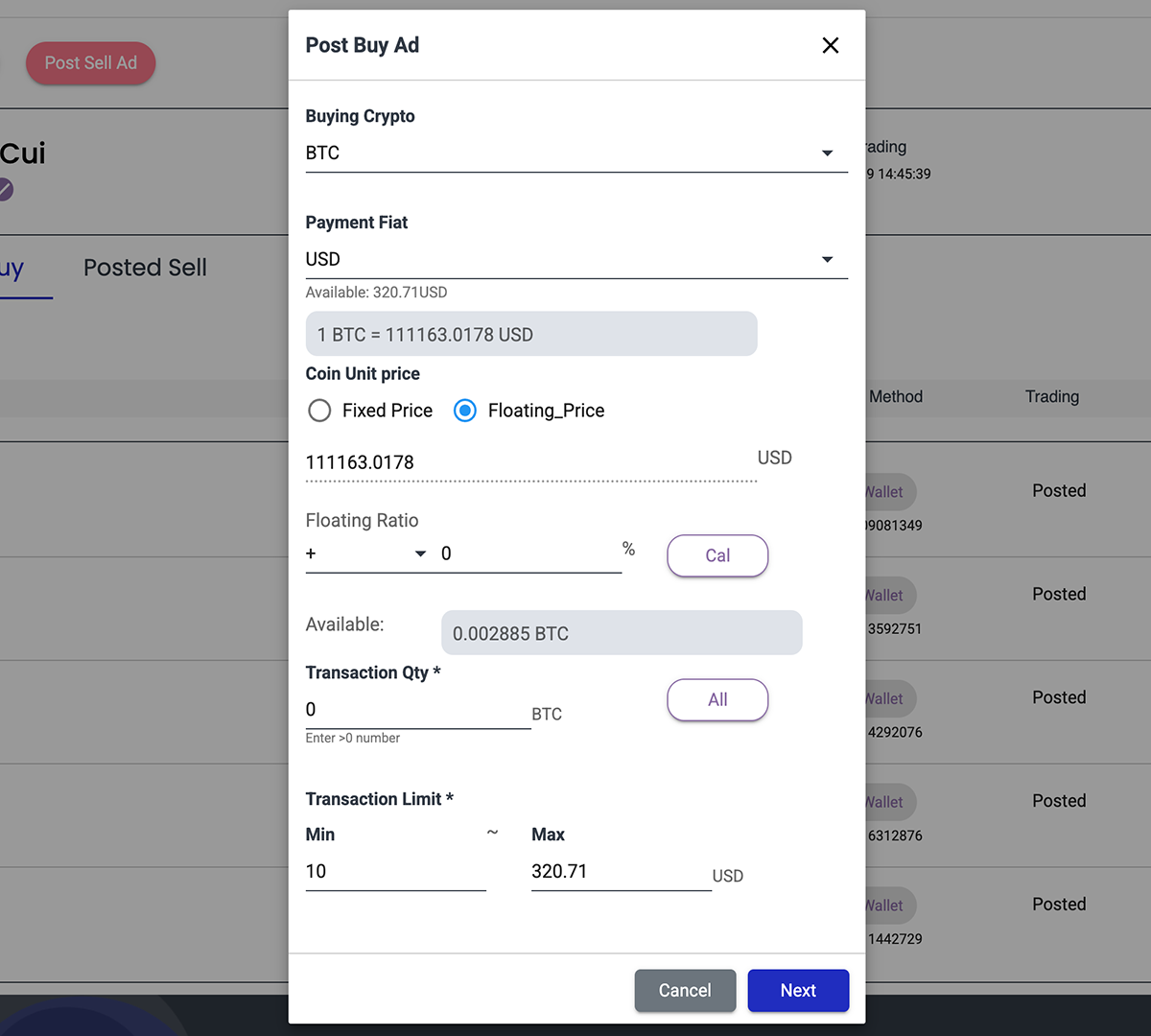
Set the conditions for buying or selling and post your ad.
Unit Price
Fixed Price: Enter a fixed unit price.
Variable Price: A percentage price relative to the latest (last 5 minutes) market price.
Tradable
Tradable currency amount.: Trade Quantity
・Enter the amount of currency to trade.
・If using the full amount, enter 'All'.
Trade Range: The range of trade quantity.
・By default, the minimum is 10 and the maximum is your wallet balance.
・If you want to change the quantity, enter it. *The minimum is 10 or more.*